
How to keep the experience of face-to-face meetings on online meetings
The pandemic forced companies worldwide to take their meetings online overnight. While video tools like Zoom and Google Meet make it technically possible, the quality of those meetings is a different story. Here are the most important practices to maintain a face-to-face feel in an online environment.
1. Punctuality matters more online
In physical meetings, late arrivals are visible and socially awkward. Online, it’s easy to slip in silently — or not at all. Set a firm start time and stick to it. Consider a brief icebreaker for the first 2 minutes while latecomers join, but don’t let it drag.
2. Structure the meeting format upfront
Before diving in, the facilitator should explain the format:
- Who speaks and when
- How questions will be handled
- How long each block will take
A great framing: “I will present, and you can ask or vote on questions in the meantime. In the end, I will respond by order of votes.”
3. Use a hand-raise protocol
Raising your hand is excellent practice — even for online meetings. It gives introverts a clear signal to participate and prevents dominant voices from monopolising discussion. Most video tools have a built-in hand-raise feature; use it.
4. Restrict side chat
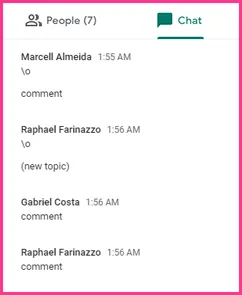
Chat can quickly become a distraction. Side conversations fragment attention and create confusion. If you allow chat, designate it for specific purposes (links, resources) — not running commentary.
5. Use a single source for questions
Instead of allowing interruptions or scattered chat messages, use a dedicated Q&A tool where attendees can:
- Submit questions at any time
- Upvote the questions they most want answered
This filters the noise and ensures only the best questions get addressed. OneAsk was built exactly for this.
6. Audio and video etiquette
- Mute when not speaking. Background noise is distracting.
- Camera on when possible. It maintains interpersonal connection and accountability.
7. Be concise
Prepare bullet points before your turn. If your point has already been made, consider yielding. Online meetings have less tolerance for rambling than in-person ones.
8. Full engagement required
Eliminate multitasking. Close unnecessary tabs. The value of a meeting — online or in-person — depends on everyone showing up fully present.
OneAsk can help you run better Q&A in any online meeting. Try it free →